
01
See the work that used to disappear
Turn independent practice, travel sessions, and competition prep into a continuous source of player-development context across the roster.
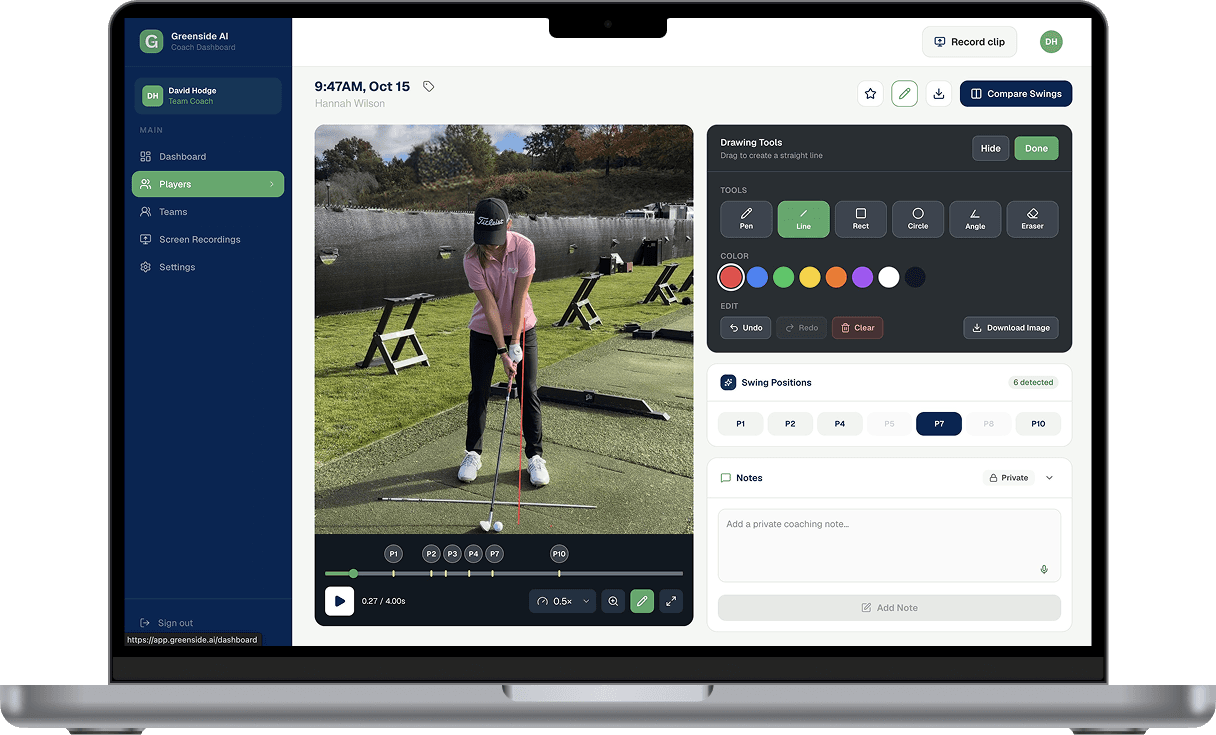
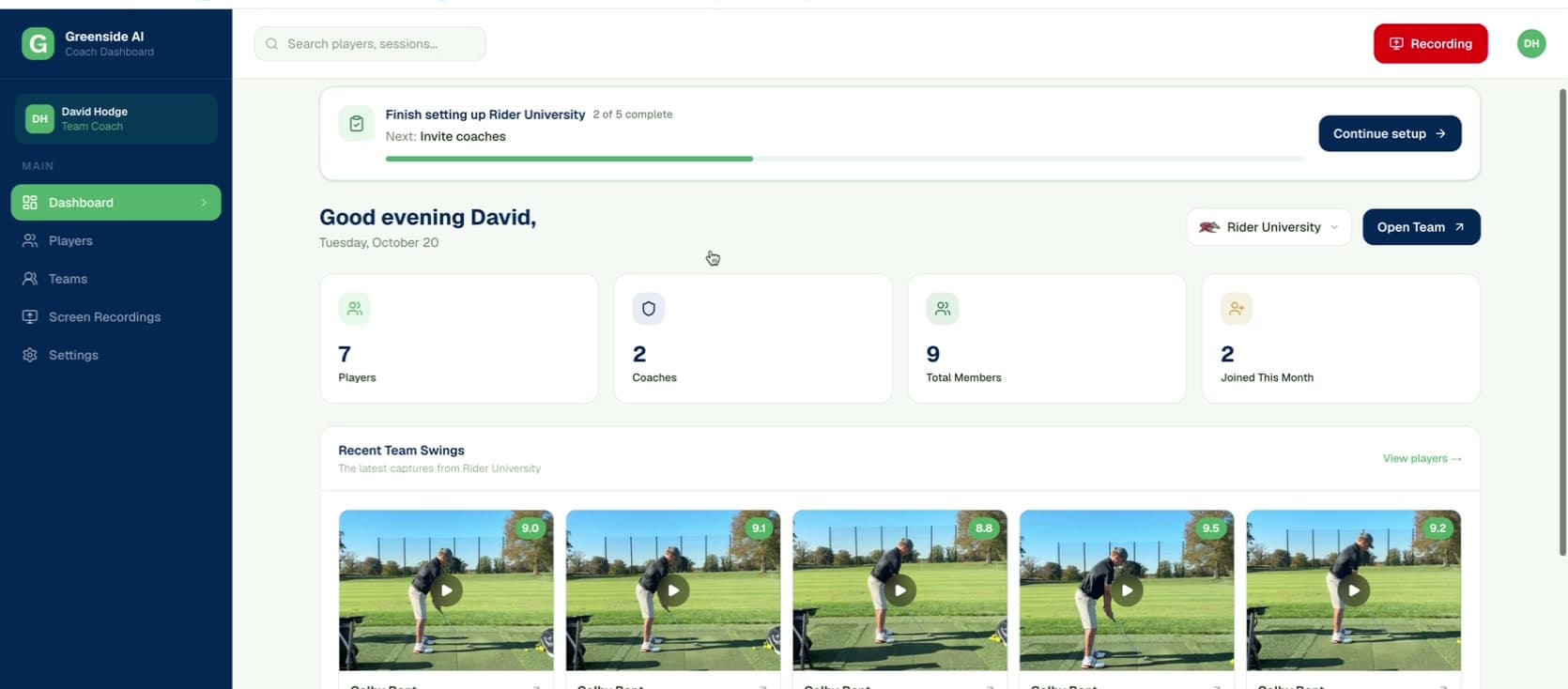
Greenside auto-captures swing videos and organizes them in one centralized dashboard. Coaches can review swings, track progress, and provide feedback directly to players in-platform.
Turn independent practice, travel sessions, and competition prep into a continuous source of player-development context across the roster.
Keep swings, analysis, notes, comparisons, and feedback connected to each player so coaches can reinforce the development plan sooner.
Compare change over time and give players a clear record of what they are working toward, what is improving, and what comes next.
From the first recorded swing to the coach’s response, Greenside keeps capture, analysis, organization, and communication connected in one team workflow.
Players and coaches use the phones they already carry to record swings at practice, indoors, while traveling, or around competition.
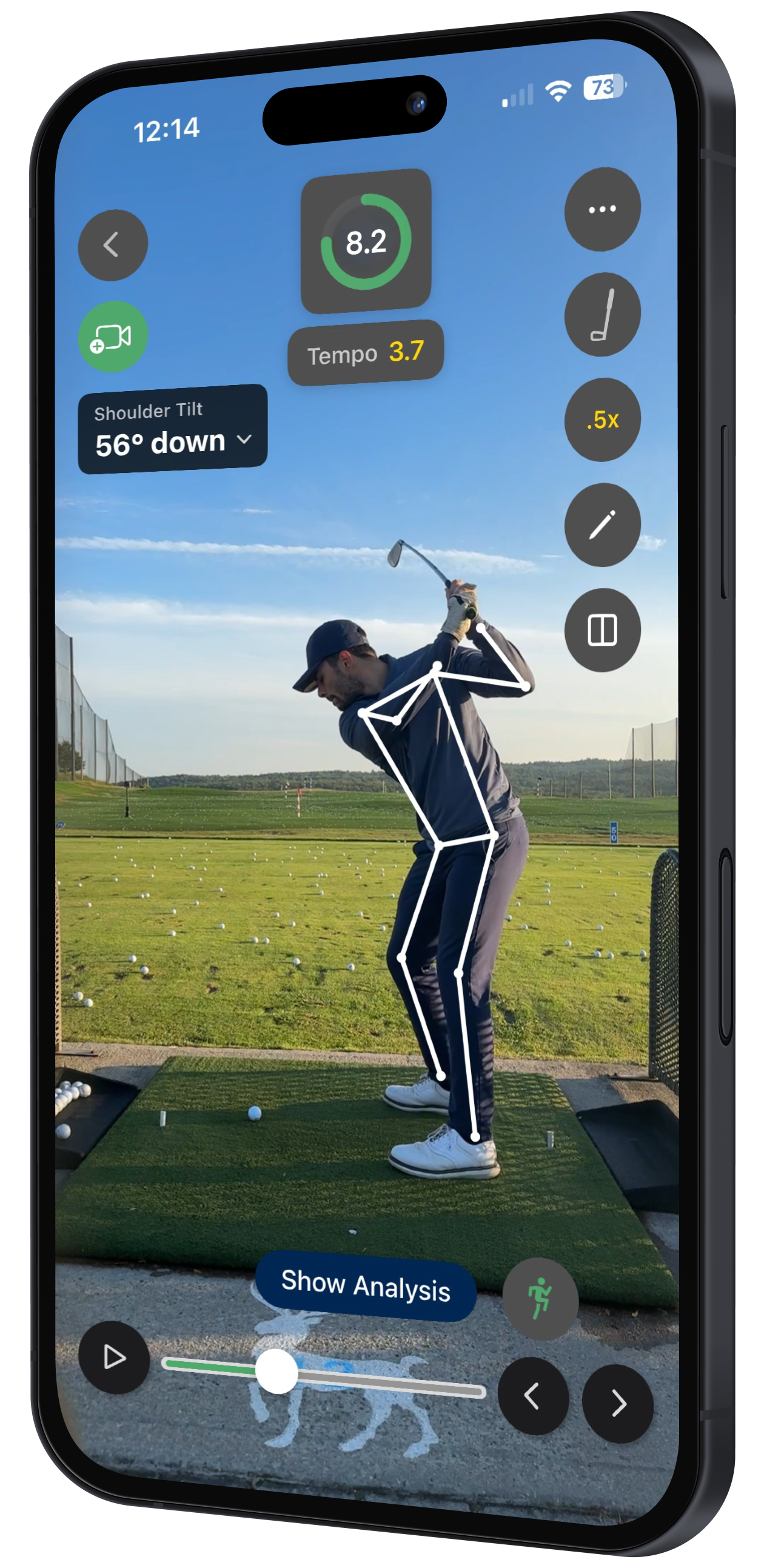
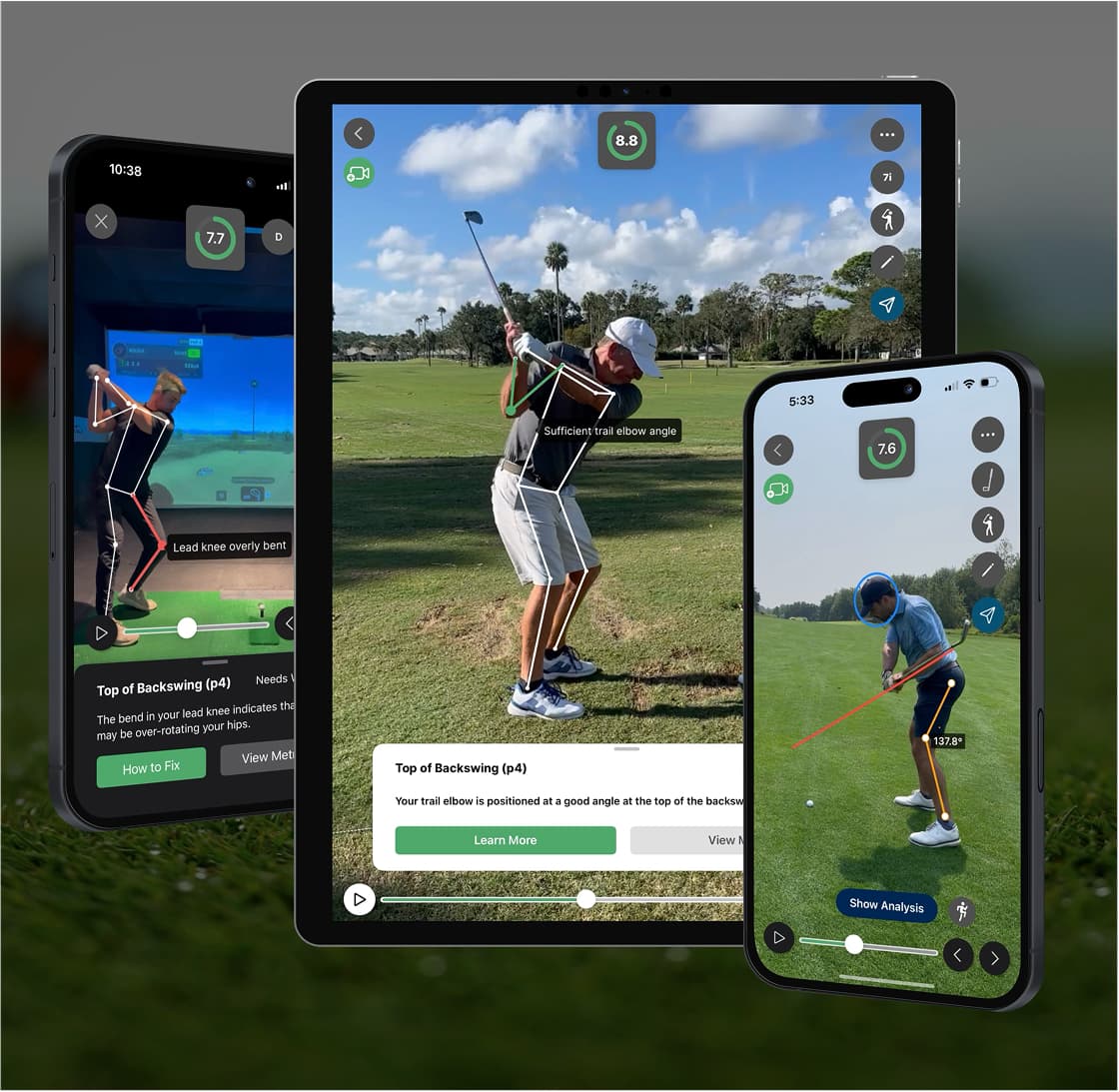
Greenside detects each swing, maps the golfer’s movement, generates biomechanical measurements, and syncs everything into the team account.
Coaches review, compare, draw, dictate notes, and record voiceovers so players receive clear feedback connected to the exact swing.
Set down a phone and start swinging. Greenside automatically detects each rep, applies real-time skeletal tracking, and surfaces biomechanical measurements players can reference without interrupting practice.
Every swing and coaching touchpoint stays organized in the team account, giving coaches the context and tools to move each player forward.
Find swings by player, date, club, or tag so the right video is always easy to surface.
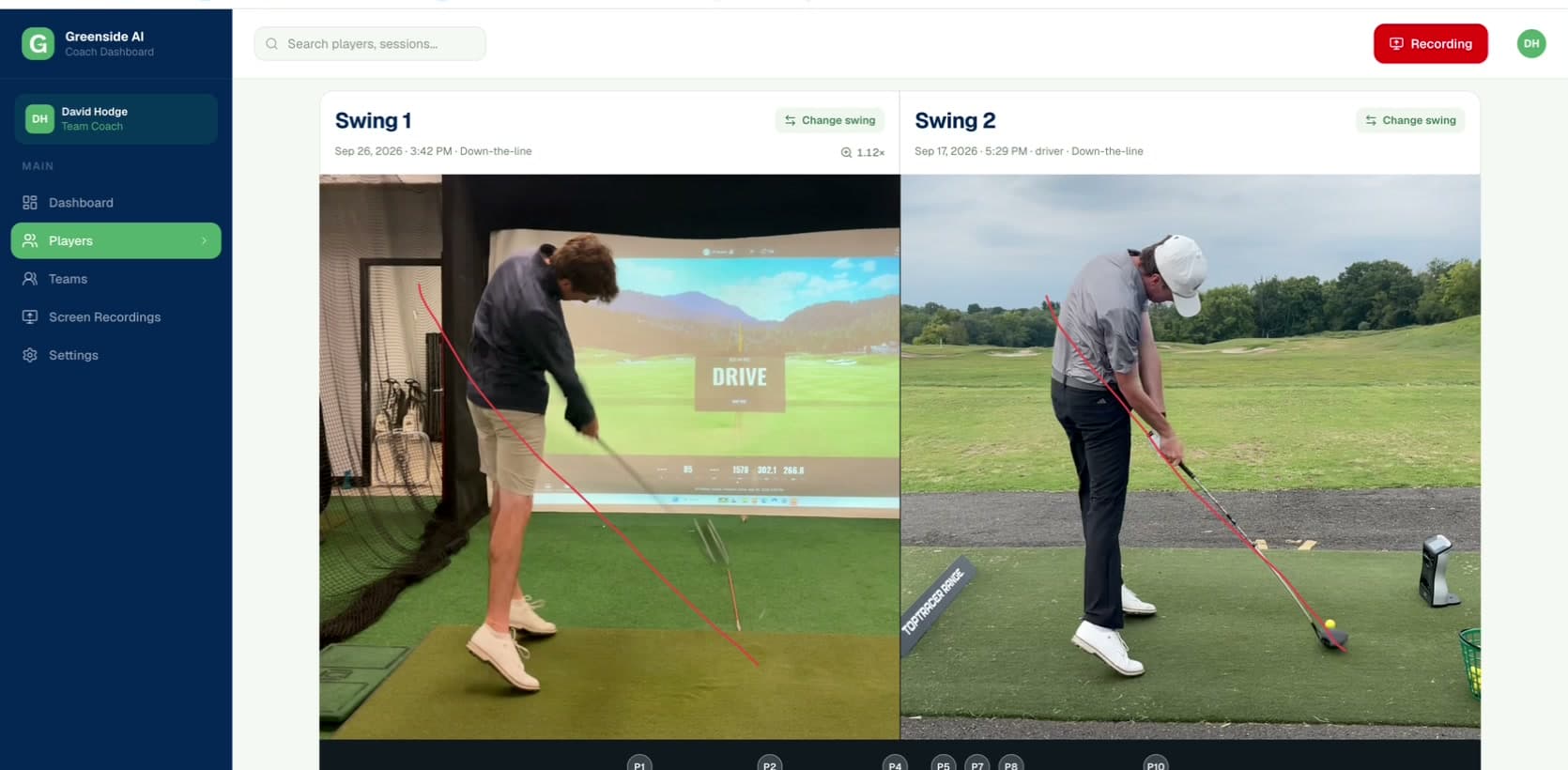
Watch in slow motion, review biomechanics data, compare swings side by side, and annotate directly on video.
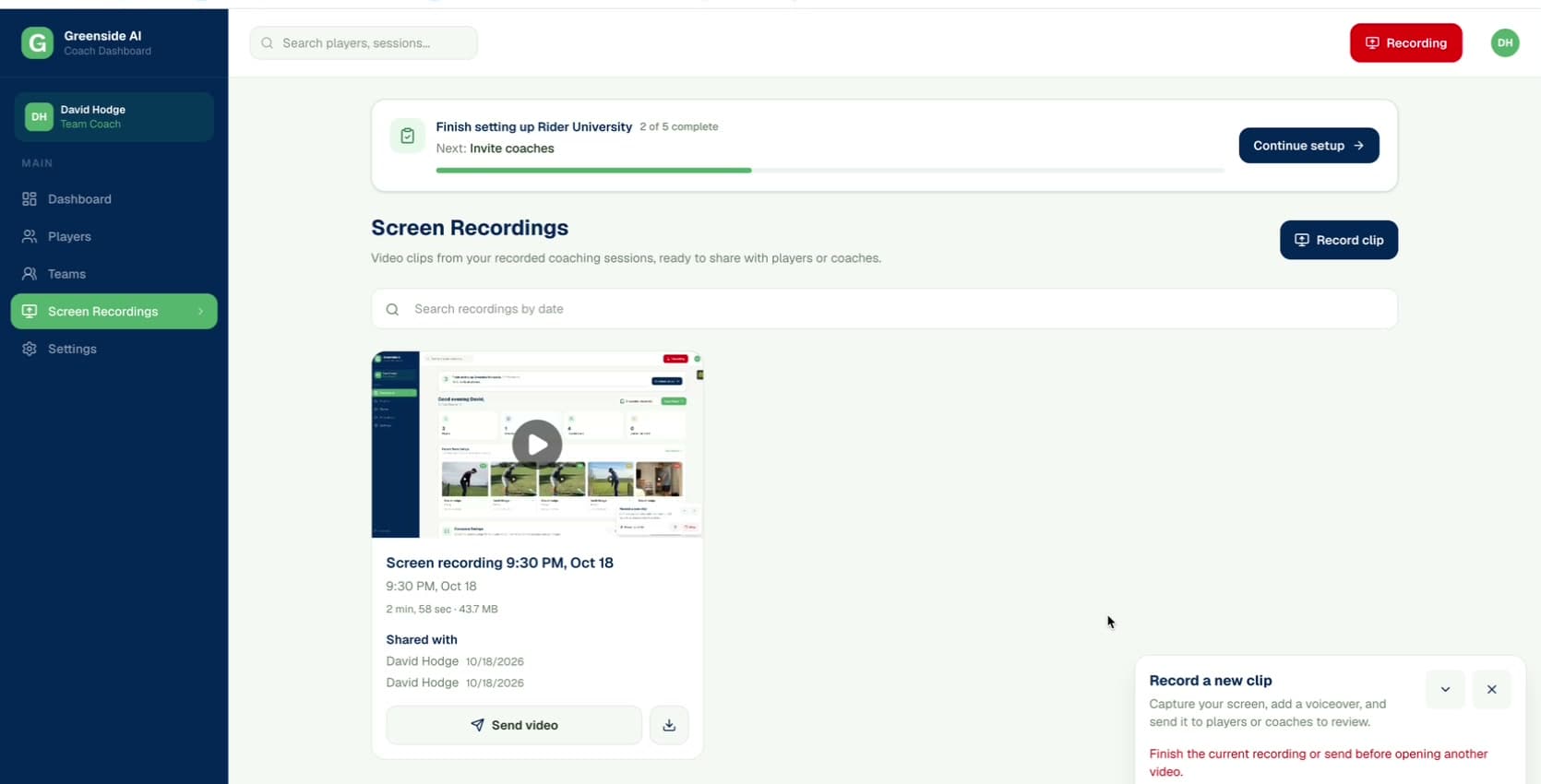
Share swings, notes, voice dictation, and screen recordings inside the same player conversation.
Greenside gives players a clearer path to their best golf and gives coaches the visibility and tools to guide them there. The result is faster learning, stronger technical continuity, and a development program built to help the entire roster perform at its potential.
Turn more of every player’s practice into useful coaching context, clear priorities, and focused next steps.
Give players a better understanding of their swing and a direct connection to the feedback that helps them improve.
See more, respond with richer context, and use in-person coaching time for the interventions that matter most.
Keep the technical plan present through travel, school breaks, summer, and the pressure of a competitive season.
No additional capture hardware is required for the core workflow. Players set up the iPhones they already carry, and Greenside captures and organizes swing video during the session in the team hub.
No. Greenside is a coach-led development workflow, not an AI coach. It makes more player work visible and keeps the coach’s plan persistent between coaching moments.
Coaches can review in fullscreen, jump to detected swing positions, use auto zoom, draw directly on video, compare two swings side by side, and send screen recordings, voiceovers, and notes to players.
Captured swings stay organized by player and session, feedback stays connected to the work, and comparisons show change over time. The result is a continuous technical record the coach and player can build on.
See how Greenside turns the phones your players already carry into a repeatable, coach-led development workflow for the whole team.
College programs
For NCAA College Golf Coaches only (Head Coach or Assistant Coach).